
Service and customers
Handle Chat and connected WhatsApp while keeping contacts, history, and next steps close to the team’s work.
Service and customersBring customer service, tasks and automations together. Use ChatGPT, Codex or Claude to understand your operations and prepare next steps, with the access you choose.
For solo businesses, growing teams and operations across departments. Start with 14 days free.
#0381Message received through a configured channel
Contact and history located
Automation routed the next step
Task created for Operations
Conversations, history, tasks, and owners stay close. Your team finds what it needs to continue; configured routines handle repetitive steps.
The request arrives through Chat or connected WhatsApp.
The team finds the contact and available history.
The configured routine runs the next step.
The request gains a stage, owner, and due date.
The result becomes available for follow-up.
A clear workspace view using example data.
Explore the product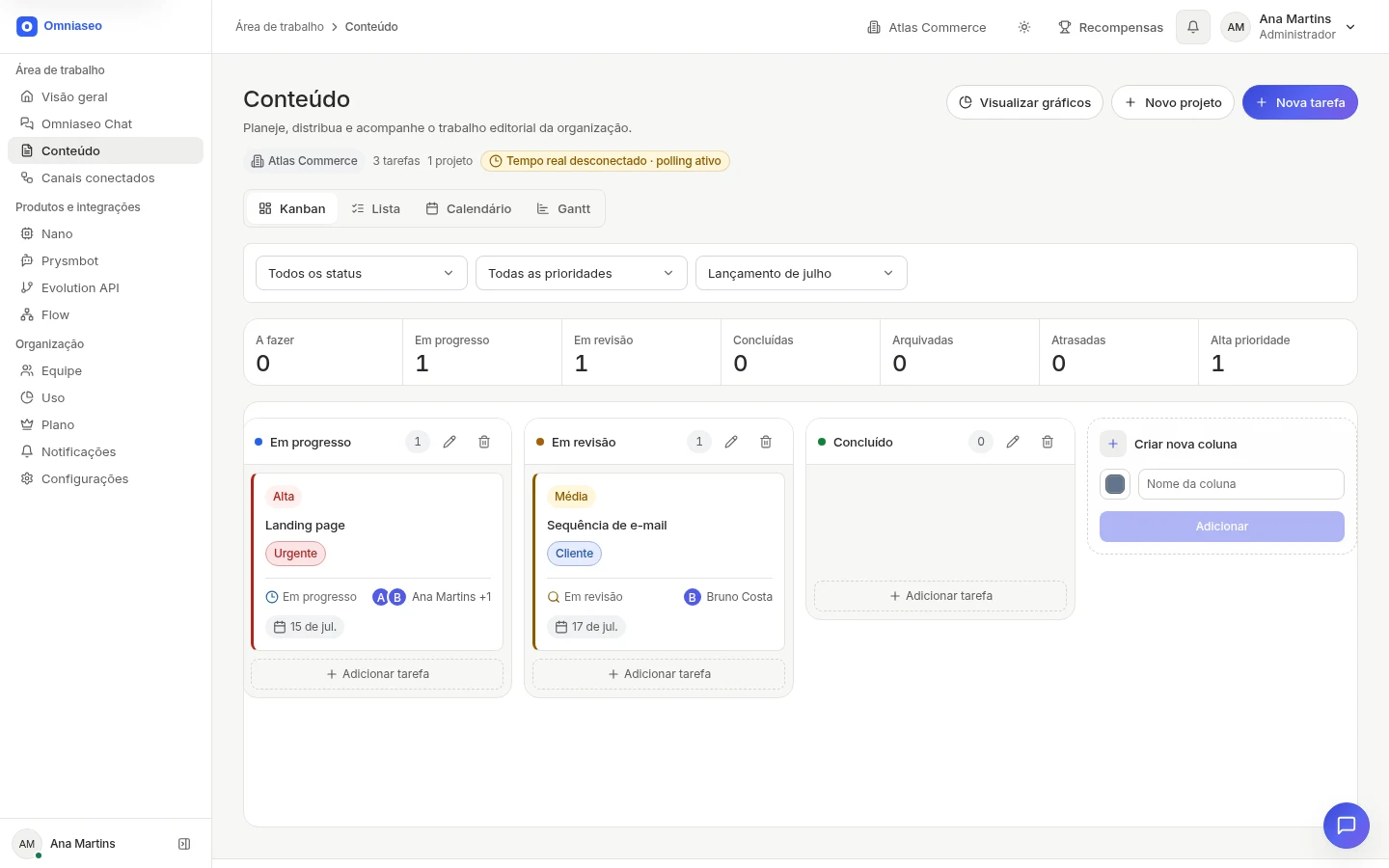
Start with urgent work and connect the rest.
Handle Chat and connected WhatsApp while keeping contacts, history, and next steps close to the team’s work.
Service and customersConfigure routines to route information and next steps across teams.
AutomationFollow tasks in Kanban, list, calendar, and Gantt.
ProjectsRead workspace indicators connected to recorded work.
DecisionsPossible scenarios using configured modules and integrations.
Centralize conversations and customer data so the team can continue each interaction from the right point.
Track stages and tasks in a pipeline, Kanban, list, calendar, or Gantt.
Assign connected WhatsApp conversations across collaborators with history and ownership in one flow.
Run a configured routine and track the next step without relying on manual handoffs.
Collect responses and route the result into the defined routine.
Find information and prepare actions with your connected AI assistant, within the access you have authorized.
Choose by type of work or industry. Every solution starts with a concrete operational problem.
Connect your AI assistant to Omniaseo to find information and act on your team’s work. You choose what it can access; actions requiring approval stay in your hands.
Explore ConnectCreate a project, add a real task, and follow the first delivery with your team.